

Almost every reseller’s inventory system starts the same way: it doesn’t exist, because it doesn’t need to. Twenty items, all visible from where you’re sitting, all recently acquired, all clearly remembered.
The system fails gradually and then suddenly. Somewhere between one hundred and five hundred items, the questions you could previously answer instantly — what did I pay for this, where is it, is it still listed, did it already sell — stop having answers. This guide is about building something that keeps answering them.
The Four Facts
An inventory system exists to answer four questions about every physical object you own:
- What is it? Specific enough to list from, including condition.
- What did it cost? Purchase price plus anything you spent making it sellable.
- Where is it? Physically. A location you can walk to.
- Where is it listed, and is it still available?
That’s the whole job. Everything else — analytics, forecasting, valuation — is downstream of those four facts, and no amount of sophisticated tooling compensates for not having them.
The most common failure isn’t choosing the wrong tool. It’s capturing these facts late. Sellers record cost at sale time (by which point they’re guessing), or location when they need to ship (by which point they’re searching), or channel status when something goes wrong (by which point a buyer is already unhappy).
Capture all four at intake, in one pass, before the item goes on a shelf. This single habit determines whether your data is trustworthy, and no system can fix data that was never captured.
Cost Basis Is the One People Skip
Cost is the fact resellers most often omit, and it’s the one that makes everything else meaningful.
Without a per-item cost you cannot answer whether a sale was profitable, whether a sourcing trip was worth it, whether a category is worth continuing, or what your inventory is actually worth. You also can’t file accurate taxes without reconstructing it, which at scale is a genuinely miserable exercise in archaeology.
Record it at purchase. If you bought a box lot, allocate the cost across the items in whatever way you can defend consistently — by unit, by estimated resale value, by weight for bulk media. The allocation method matters far less than applying one method every time. An imperfect consistent basis beats a perfect basis you never actually recorded.
Include the costs that aren’t the purchase price: cleaning supplies, replacement sleeves, new batteries, the graded slab, the mileage if you track it. These are real and they’re the difference between a 40% margin and a 15% one.
Physical Organization: Location Beats Category
The instinct is to organize physically by category — records here, cameras there, clothing in the closet. This feels tidy and it scales badly, because every new acquisition forces a decision about where it belongs and eventually forces you to reshuffle whole shelves.
The alternative that scales: arbitrary but recorded locations. Bins numbered 1 through 40. Shelves labeled A through H. An item goes wherever there’s room, and the location goes in the record. You never reorganize, you never make a judgment call at intake, and finding anything is a lookup rather than a search.
This feels wrong to organized people and it is dramatically faster in practice. Warehouses have worked this way for decades for exactly this reason.
Two rules make it work:
- The label goes on the item, not just in the system. A record with an identifier written on a sticker survives a system migration. A record identified only by a row in a database does not.
- Moving an item means updating the record. Every time. An unrecorded move is a lost item with extra steps.
When Spreadsheets Stop Working
Spreadsheets are a legitimate starting point and most sellers should start there. They’re free, they’re flexible, and they impose no structure you have to learn.
They fail in four specific ways, in roughly this order:
Concurrency. You update from your phone at a thrift store and from your laptop at home, and one overwrite silently discards the other. This starts quietly — you don’t notice a lost row until you go looking for it.
No connection to channels. The spreadsheet doesn’t know that eBay sold something. You know, and you type it in, and eventually you don’t. Every manual sync step is a step that gets skipped on a busy day. This is the failure that produces oversells, and we’ve written specifically about where spreadsheet inventory breaks at scale.
Photos. Resale inventory is visual, and spreadsheets don’t hold images. So photos live in a phone gallery, named by date, and reconnecting a photo to a row is manual forever.
Query cost. “Which items in bin 12 are still unlisted?” is a thirty-second filter at two hundred rows and an ordeal at three thousand, especially on a phone in a garage.
The honest comparison is spreadsheets versus purpose-built inventory tools, and the answer genuinely depends on volume. Under a hundred items, the spreadsheet usually wins on flexibility. Over five hundred, it stops being a system and becomes a record of what you meant to do.
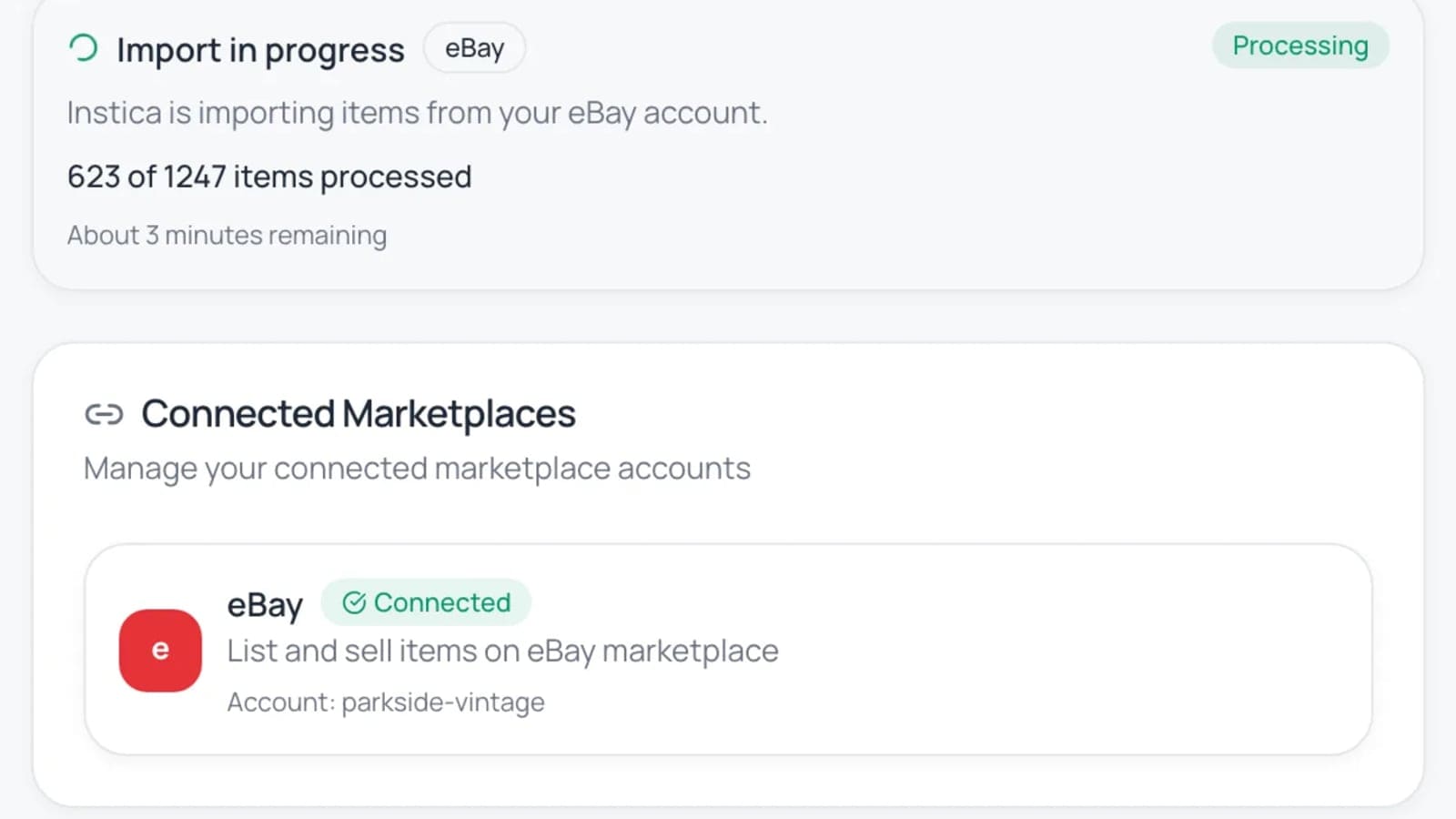
Migrating Without Losing History
When you do move to something structured, the mistake is starting fresh.
Your history is worth keeping. Cost basis on unsold inventory, acquisition dates, and past sales are what let you answer whether the business works. Sellers who start clean lose the ability to compare this year to last year, and they usually lose the cost basis on everything currently in stock — which means every subsequent profit number is fiction.
A sane migration:
- Clean the spreadsheet first. Consistent column names, one row per physical item, no merged cells, no notes crammed into the price column. Do this before importing, not after.
- Import unsold inventory with cost and location intact. These are the fields that can’t be reconstructed.
- Keep the old spreadsheet, read-only, forever. Archive it. Don’t delete it. It costs nothing and it’s your only record of the pre-migration period.
- Reconcile once, physically. Walk the shelves against the imported records. You will find discrepancies, and finding them now is much cheaper than finding them when a buyer is waiting.
- Don’t run both systems in parallel. Pick a cutover date. Dual-entry lasts about two weeks before one system silently becomes wrong, and then you have two systems and no truth.
The Weekly Reconciliation
Whatever you use, the maintenance habit is the same: once a week, compare records against physical reality.
Sample a section — one shelf, one bin range — rather than auditing everything. Confirm the items are there, the quantities match, and the listing status is right. Fix what’s off. At a few hundred items this takes fifteen minutes and catches the small leaks — the item you sold locally, the one you damaged, the one you decided to keep — before they compound.
Sellers who skip reconciliation don’t discover the drift gradually. They discover it all at once, usually when a buyer pays for something that isn’t there.
What Good Looks Like
You have a working system when you can answer, in under thirty seconds and without walking anywhere: what you own, what it cost, where it is, and where it’s listed. And when a sale in any channel updates the count everywhere without you doing anything.
That’s it. It doesn’t require expensive software — plenty of sellers run small operations beautifully on modest tooling. It requires the four facts, captured at intake, in one place, kept current.
The sellers who scale aren’t more disciplined than the ones who don’t. They just front-loaded the work into a thirty-second habit at intake instead of paying for it later, at the worst possible moment, with interest.